Start with the Robotics Hacking Journey
How I got interested in this? Well, I was applying for a reverse engineering role in a certain company and the interviewer informed me that they are getting into robotics. Finding an RE job here in Philippines is quite hard so I just kept applying for positions that has RE in them but this specific interview, although I did not pass the interview, it spark something inside me and it got me searching and interested in Robotics Hacking.
So, how do I begin with it? I asked claude. To be honest, I’m having doubts because a robot??? How do I test that and oh, before the test part how do I freaking acquire a robot, that’s sounds expensive. So, instead of just giving up, I just directly ask Claude to give me resources and how do I begin. So while discussing with Claude some alternatives, he suggest me a robot arm and some expensive stuff but the good thing about Claude is that, you tell him you’re poor and he will suggest an alternative and that’s where we decided to start with ROS2 on Ubuntu VM.
Now that I know ROS2 is where I should start with. I createad a virtual machine running Ubuntu 22.04. After that, I installed the necessary stuff needed for ROS2.
# Step 1 — Locale setup
sudo apt update && sudo apt install locales -y
sudo locale-gen en_US en_US.UTF-8
sudo update-locale LC_ALL=en_US.UTF-8 LANG=en_US.UTF-8

# Step 2 — Add universe repo
sudo apt install software-properties-common -y
sudo add-apt-repository universe

# Step 3 — Add ROS2 GPG key
sudo apt update && sudo apt install curl -y
sudo curl -sSL https://raw.githubusercontent.com/ros/rosdistro/master/ros.key \
  -o /usr/share/keyrings/ros-archive-keyring.gpg

# Step 4 — Add ROS2 repository
echo "deb [arch=$(dpkg --print-architecture) signed-by=/usr/share/keyrings/ros-archive-keyring.gpg] http://packages.ros.org/ros2/ubuntu $(. /etc/os-release && echo $UBUNTU_CODENAME) main" | sudo tee /etc/apt/sources.list.d/ros2.list > /dev/null

# Step 5 — Install
sudo apt update
sudo apt install ros-humble-desktop -y
Once done with the steps above, I proceed to confirm that ros2 is running by executing the command
ros2 -h
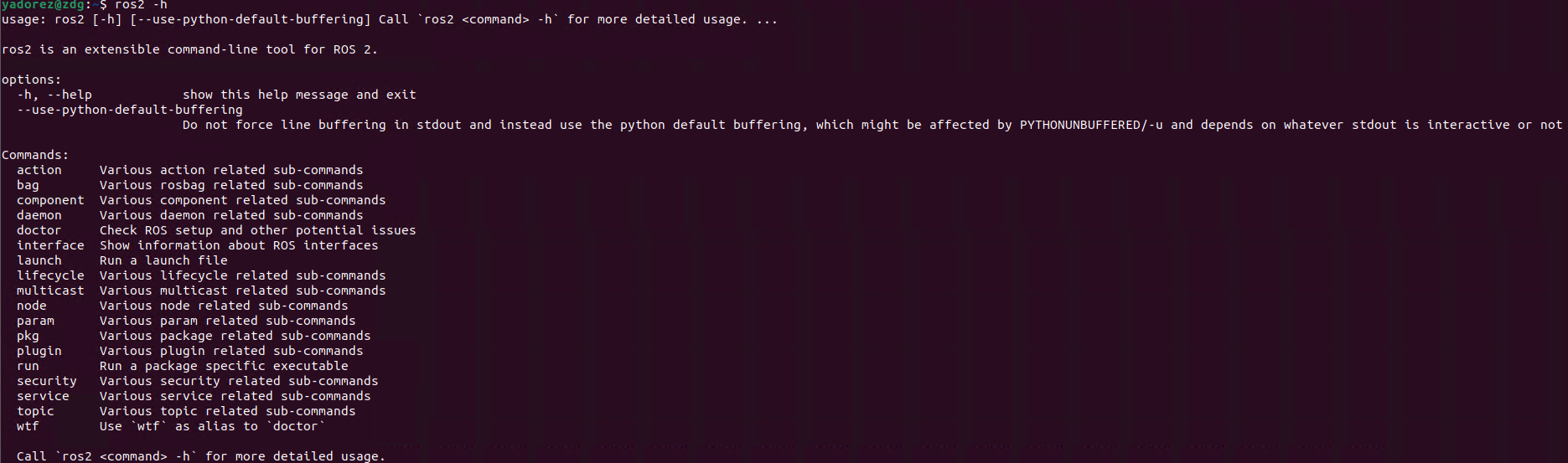
If running ros2 is not working, try adding ros2 to the source.
echo "source /opt/ros/humble/setup.bash" >> ~/.bashrc
source ~/.bashrc
Now that everything is already setup, we are proceeding on trying to do the ROS2 Topic Injection Attack. In all honesty, this is pretty new to me so I may be wrong or not but hey, I’m just documenting my progress.
So before everything else, what is ROS2 by the way? ROS2 is Robot Operating System Framework, ROS2 helps program/nodes to talk to each other through publish/subscribe model. So for this blog, I will be creating a talker and listener. Talker is the publisher where it will share information and publishes message to a named topic “/chatter”. The publisher does not care who listens, it will just keep on broadcasting. Next is the Listener or subscriber. It will subscribe to “/chatter” and does not care who send it, it will just listen to it and receive all message published there. The topic “/chatter” is just a named channel. Like a radio frequency, anyone can tune on it.
If we will convert it to a robot equivalent, a camera program/node publishes a message in /camera/image topic or a gps node where it publishes message on /location topic. So basically, each of this nodes, talk together through topics constantly. That’s where Topic Injection came to place, ROS2 by default has no concept of identity or trust and that what I’m going to show below.
To begin, we will need to setup a “talker”
ros2 run demo_nodes_cpp talker
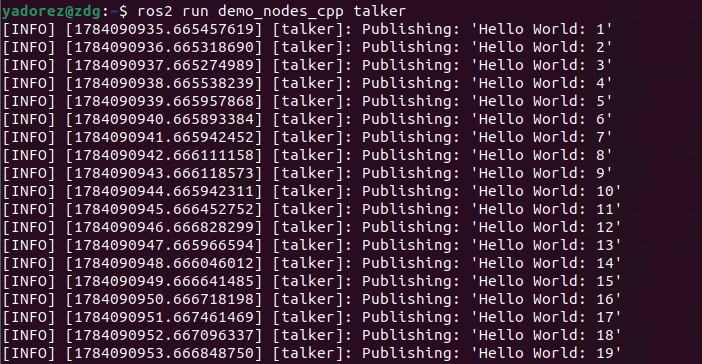
Now, we are able to publish hello world message on /chatter. Next is we setup the listener, where it should be able to receive a message that is publish.
ros2 run demo_nodes_cpp listener
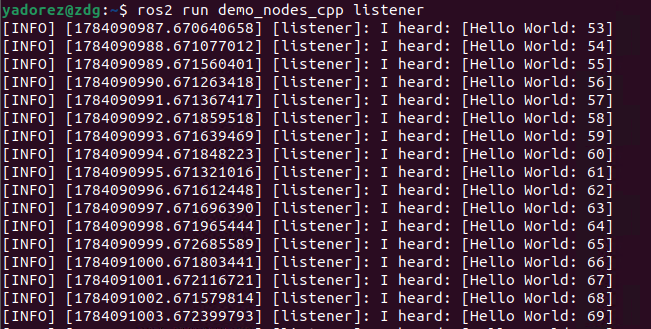
Running the command allows us to listen to messages publish on the /chatter and we can see base on the screenshot that it is saying “I heard”. Now that we are able to setup the talker and listener, it is now time to attempt to inject a message on the /chatter topic.
ros2 topic pub /chatter std_msgs/msg/String "data: 'YadoreZ'"
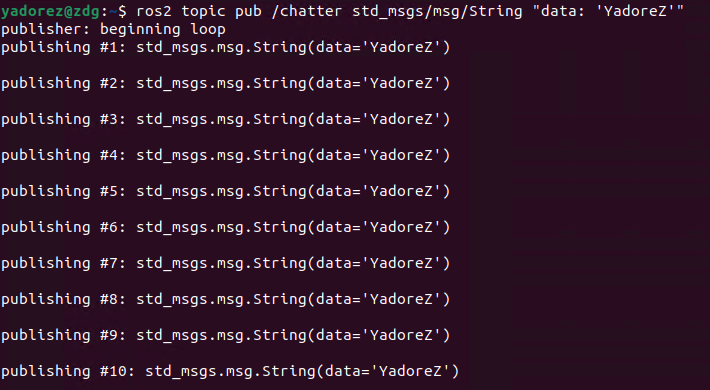
The command shows now that we are sending data to the /chatter topic. Then if we check our listener tab, we should be able to see our injected message.
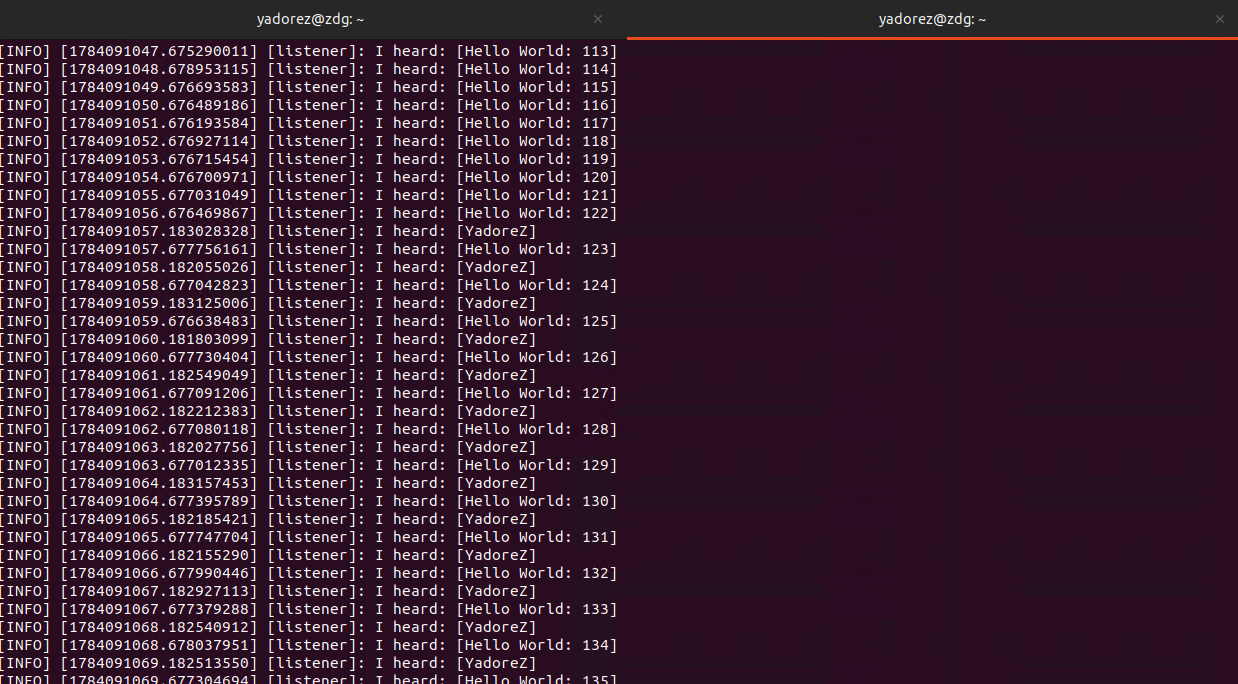
Based on this screenshot, we are able to confirm that our message ‘YadoreZ’ is published on the /chatter and the listener was able to acquire or received the message. In robotics, a good scenario that I can think of is if the /location was somehow an attacker is able to provide a fake location to where a robot should go.
So that was it. My first attempt to study and blog my robotics hacking journey!